
Chigee XR-1 Stress Test: High-End Dashcam for the Most Extreme Demands

Chigee XR-1 Stress Test: High-End Dashcam for the Most Extreme Demands

Mount it once, never think about it again: the black box from Chigee

Two cameras, one hidden module, and as little effort as possible: the Chigee XR-1 is designed to record every ride automatically in the background. We mounted the dashcam on a track bike and tested it under extreme conditions including heat, wheelies, and a race track. The result goes far beyond crisp 60 fps video.

nopain

nopain

published on 20/08/2026

4,504 Views

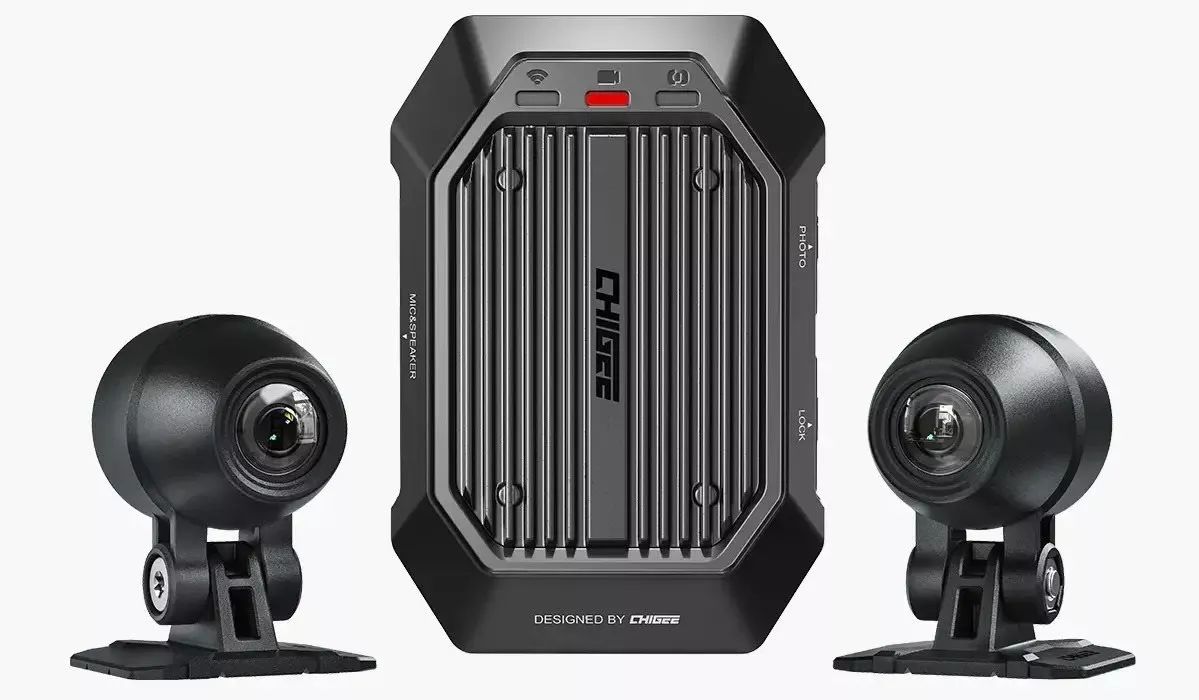
An action cam is great – as long as it's charged, switched on, and its storage isn't full at the critical moment. That's exactly where the Chigee XR-1 comes in. After the 1000PS editorial team had already tried out Chigee's camera concept in combination with the AIO-6 add-on display, we were now interested in the more radical option: two permanently mounted cameras, a compact main unit, no additional display, and ideally no further thought required. Ignition on, recording starts. Ignition off, parking surveillance waits for vibrations. Less action cam, more discreet black box: the Chigee XR-1 records everything happening in front of and behind the bike fully automatically at 1080p and up to 60 fps.

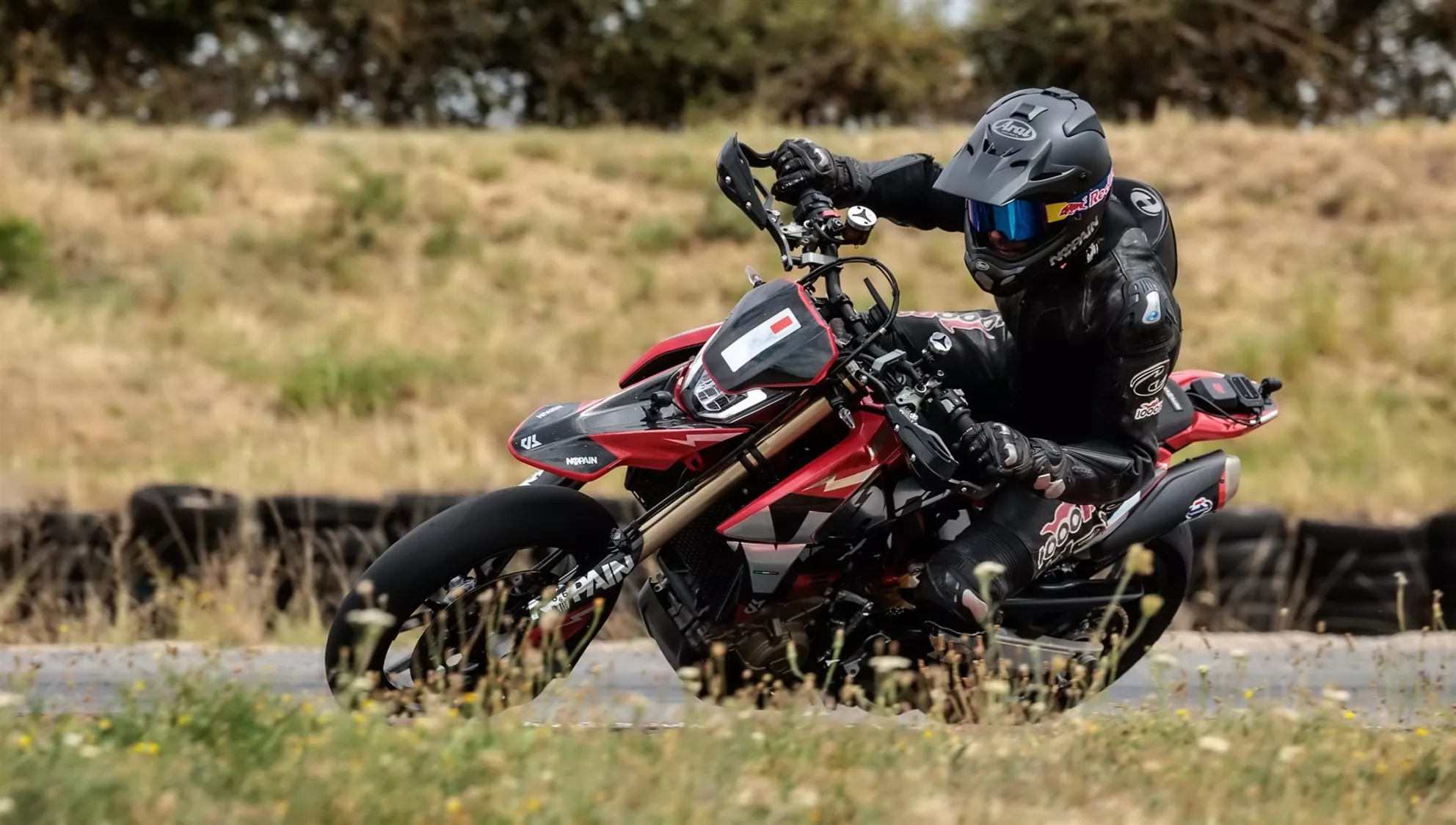
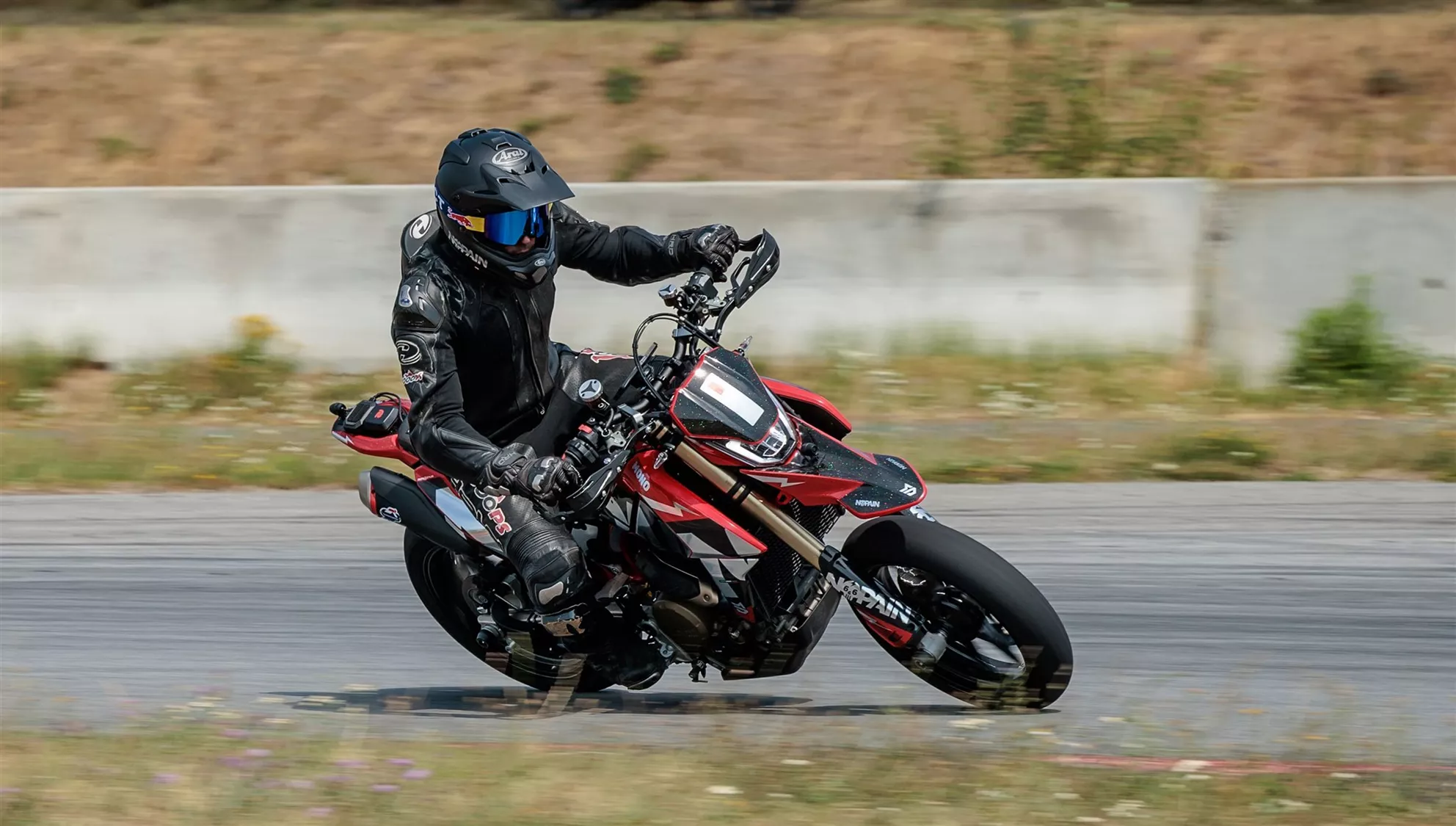
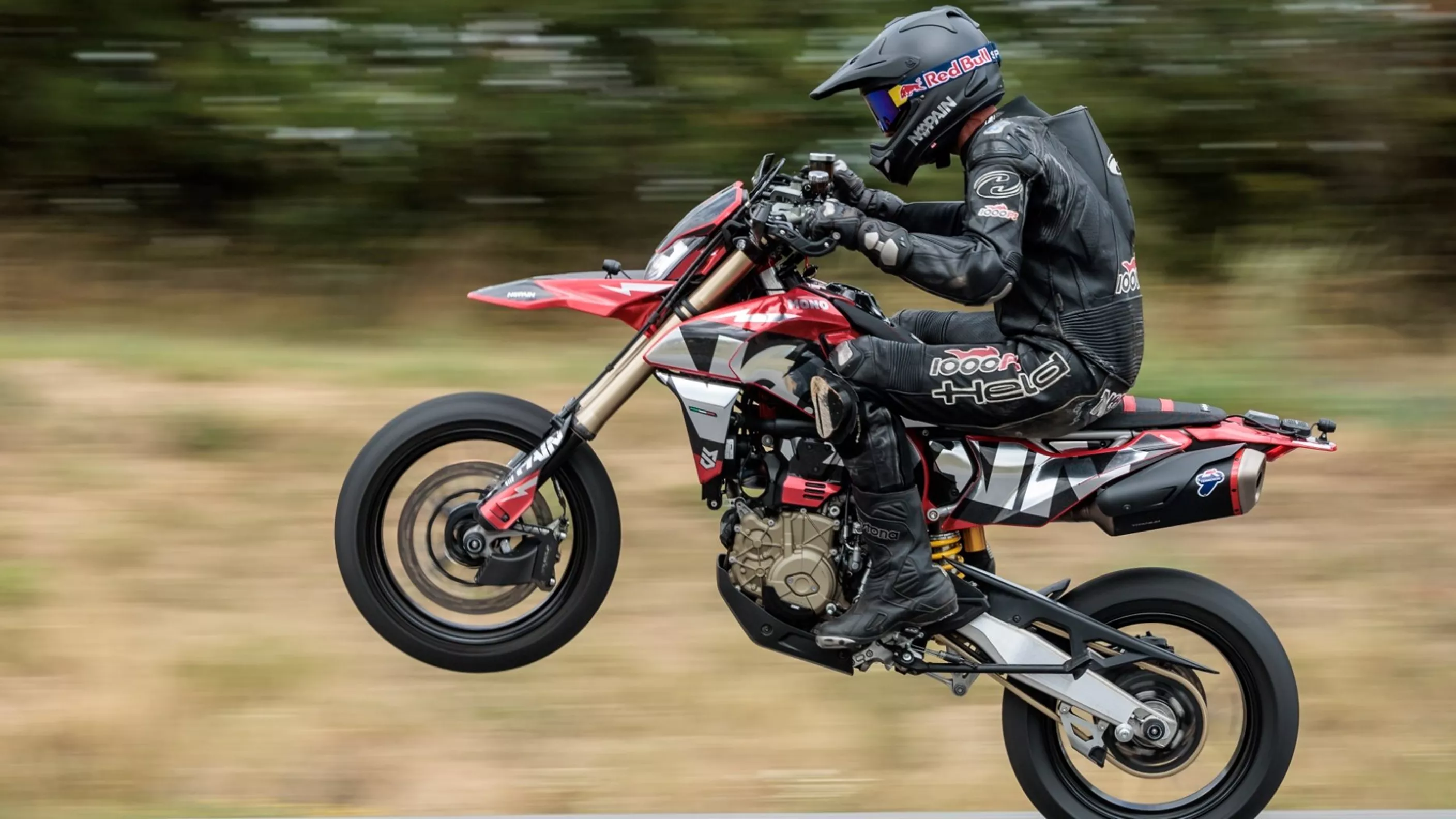
What matters most here isn't crystal-clear video quality, but the likelihood of actually having footage when it counts. That's precisely why the system didn't end up on a comfortable touring bike, but on NoPain's Hypermotard 698 Mono, where we completed a full track day including wheelies, hard braking manoeuvres, vibrations, and temperatures well above 35 degrees Celsius.
Eine nicht immer perfekt ausgerichtete oder optimal stabilisierte 60-FPS-Aufzeichnung ist besser als keine.

NoPain, 1000PS Test Editorial Team

Chigee XR-1 – What's in the Box and First Impressions

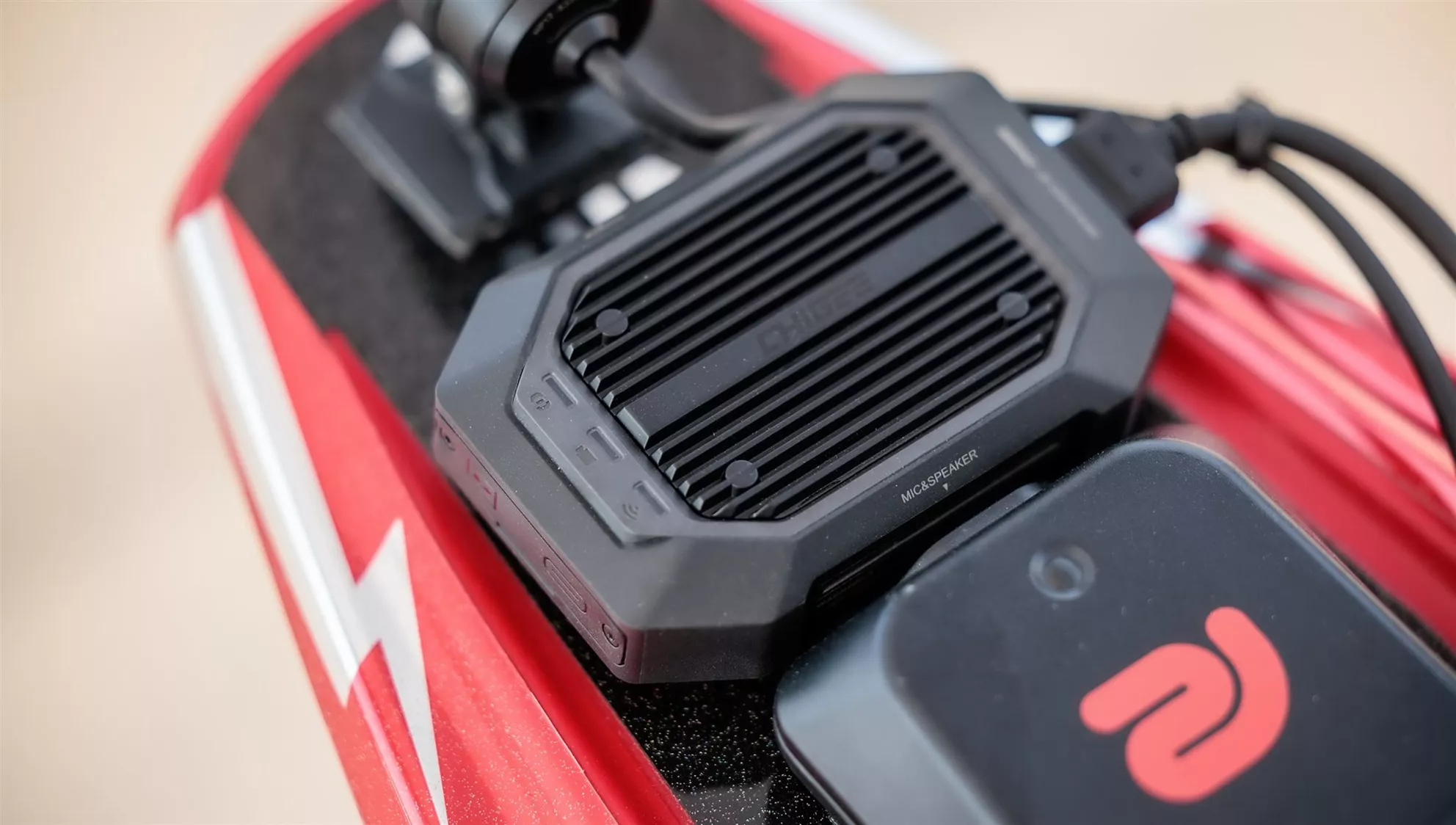
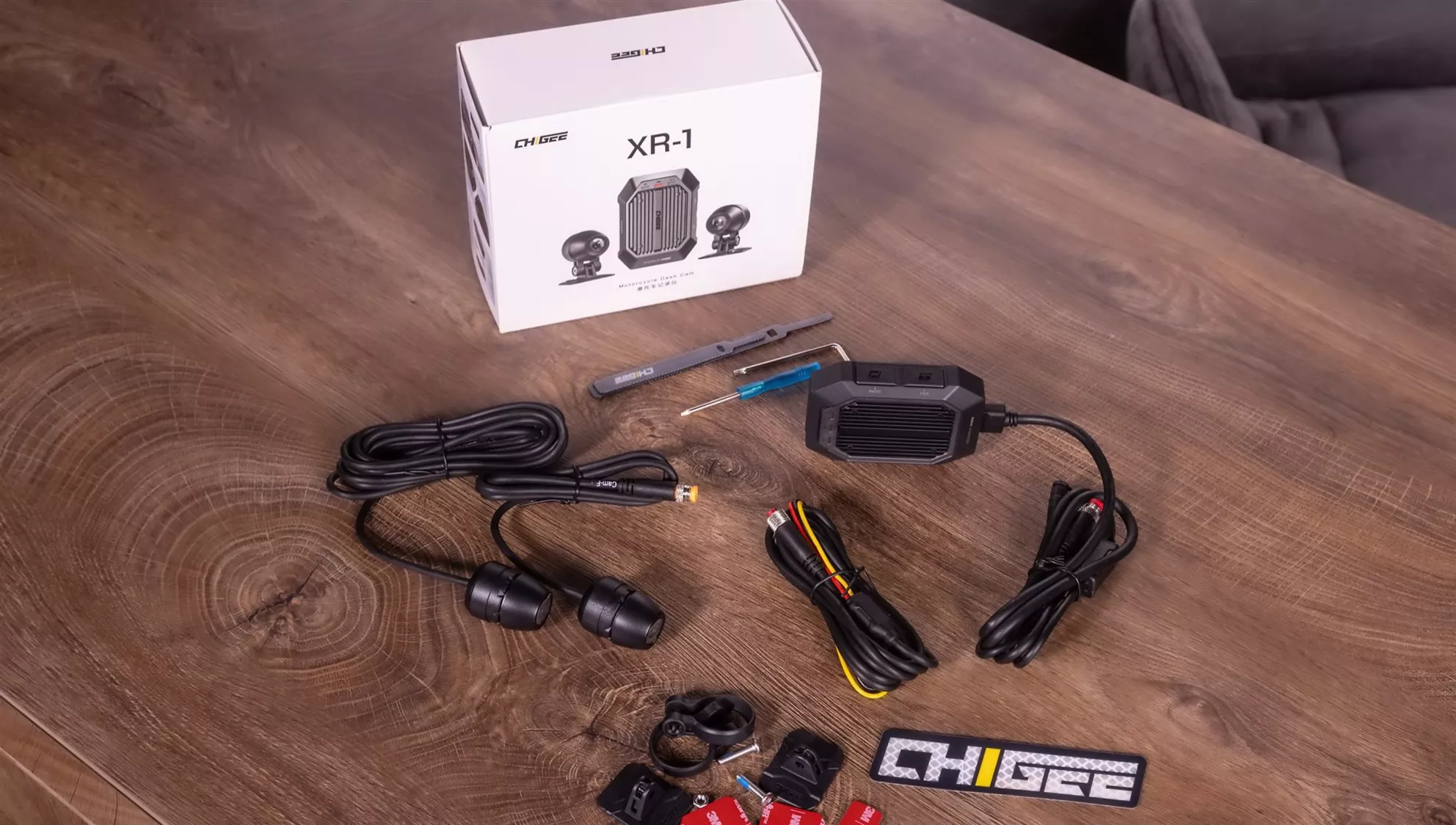
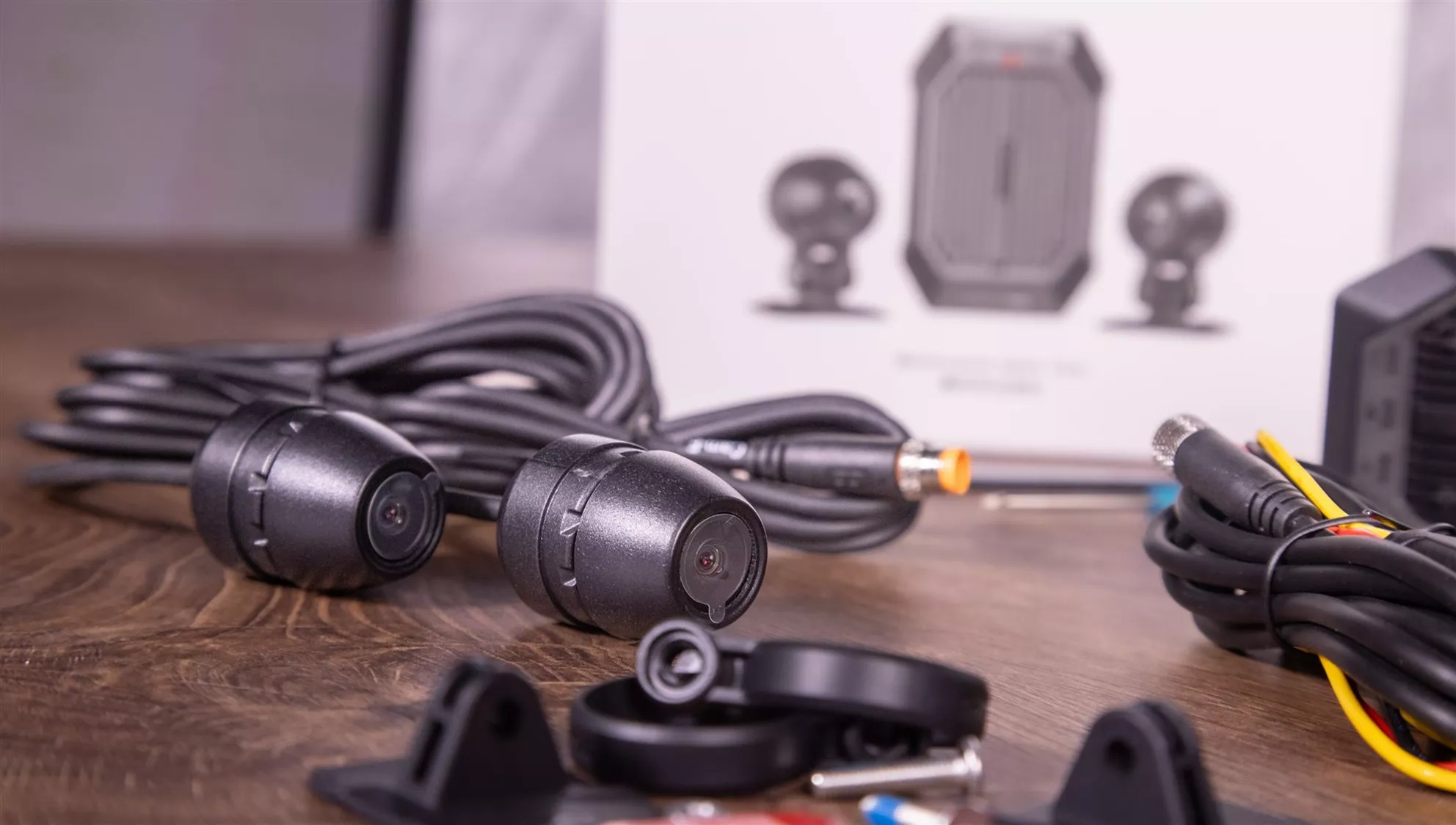
Unboxing the XR-1 is pleasantly free of multimedia circus. The standard package includes the main unit, two cameras, two camera mounts, a power cable, cable ties, Velcro straps, 3M adhesive tape, and mounting tools. What's missing is precisely the one small component without which nothing gets recorded at all: a microSD card. Chigee requires a fast card of up to 256 GB; the optional wired GPS handlebar controller is also not included in the standard package.

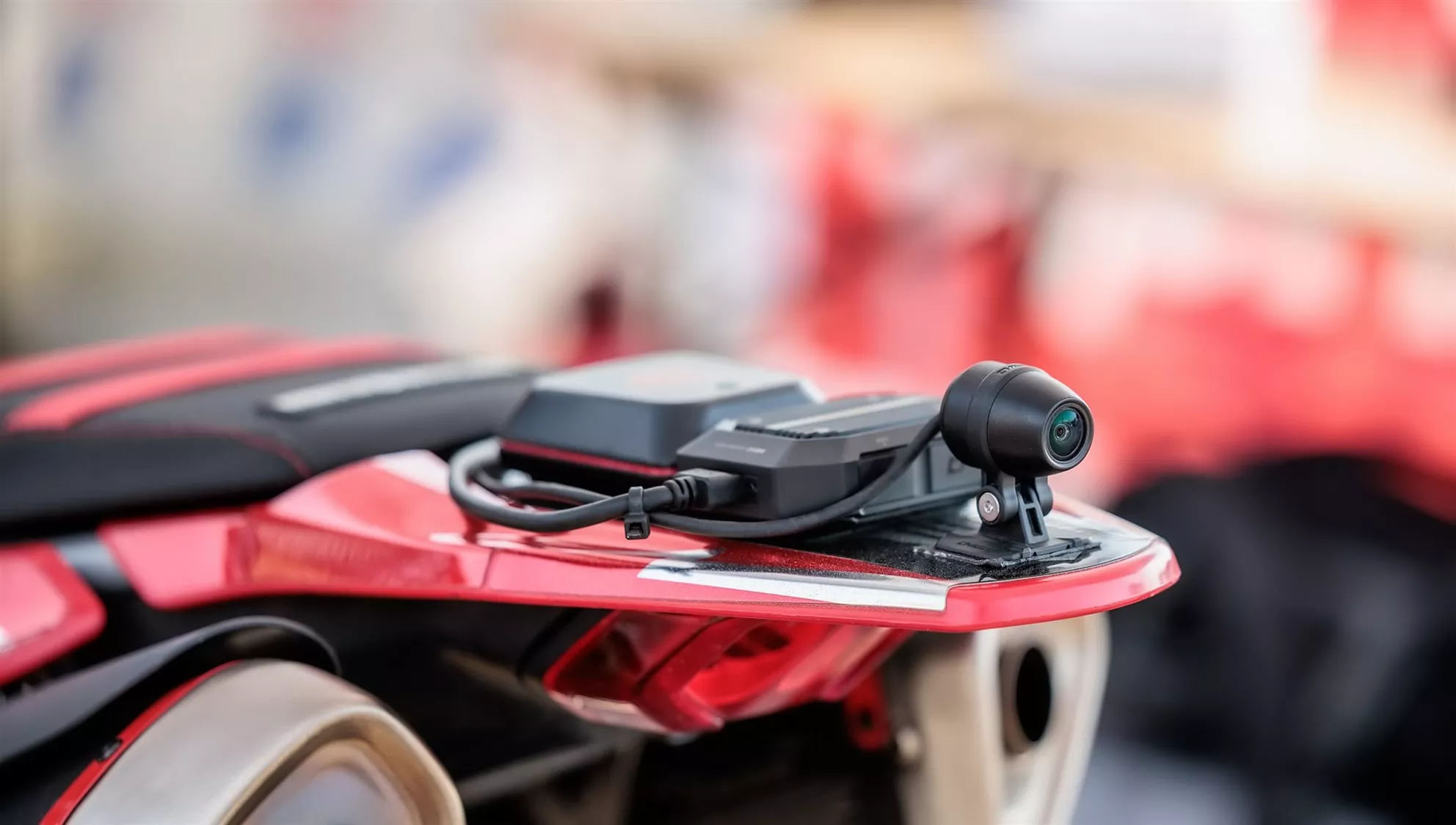
The build quality of the components makes a robust impression. Chigee rates the main unit at IP69K (high protection against rain, spray water, dirt, and pressure washers) and the cameras at IP68 (rain, spray water, dust). The main module features a sturdy polycarbonate housing with elastic TPU components designed to absorb impacts. Internally, the circuit board is mounted on a floating suspension to dampen vibrations, while an aluminium structure dissipates the heat generated. Our track day with plenty of heat, hard impacts, and constant vibrations didn't throw the XR-1 off its stride in the slightest.

Chigee XR-1

Technical Specifications: Chigee XR-1

SPECIFICATIONDESCRIPTION
CameraFront and rear · Novatek NT99235 · 1920×1080 @60FPS · 136.6° wide-angle FOV · f/1.8 (2G+4P+1 IR-CUT)
ProcessorDual-Core A53
RAM2 GB
Water resistanceMain unit: IP69K / Cameras: IP68
CertificationsCE / FCC / RoHS
Camera cable lengthFront camera: 1 m / Rear camera: 2.5 m
Maximum microSD card capacityUp to 256 GB (not included)
Card requirementU3 / A2 / V30 or higher recommended
Main unit dimensions70.6 x 55.6 x 24.5 mm
Weight126 g (main unit) / 375 g (complete package)
Input voltage11–18 V DC
BluetoothBluetooth 5.0
Wi-Fi5 GHz Wi-Fi, according to Chigee over 10 MB/s
Integrated speakerSupported
Parking recordingApprox. 60 seconds per trigger
Parking standbyApprox. 350 µA consumption
Low-voltage shutdown11.8 V, automatic shutdown to protect the vehicle battery
GPS remote controlOptional wired accessory
Price XR-1 (RRP)€261.95

Technical figures and prices are taken from Chigee's current product page, manual, and support FAQs (as of August 2026).

With a 256 GB card, Chigee quotes approximately 27.3 hours of recording time for separate front and rear files at 1080p/60fps; in Fusion Mode (front and rear recording combined), this rises to around 54.6 hours, though you lose the independent camera tracks.

Chigee XR-1 Installation

XR-1 Installation – One Stumbling Block to Watch Out For

The English-language manual is brief, clear, and generally sufficient. Align two cameras, route the cables neatly, stow the main unit, and connect the three power leads: red goes to battery positive, black to ground or battery negative, and yellow to a genuine ignition-switched ACC signal. That sounds like three wires and five minutes, but on modern bikes it can turn into a minor electrical seminar – identifying exactly the right ACC wire was the only installation step that genuinely demanded concentration on our end too. Chigee itself recommends checking with a multimeter if in doubt: approximately 12 volts with the ignition on, zero volts after switching off.

According to Chigee, the main unit should be tucked away inside the fairing or under the seat, away from strong heat sources. On our Hypermotard there simply wasn't a sensible spot available there, and besides, we wanted quick access, airflow, and maximum weather exposure for the performance check. So we deliberately mounted the unit externally. It's not the most elegant solution, and it offers no protection against light-fingered individuals either, but the XR-1 didn't make a drama out of it technically.

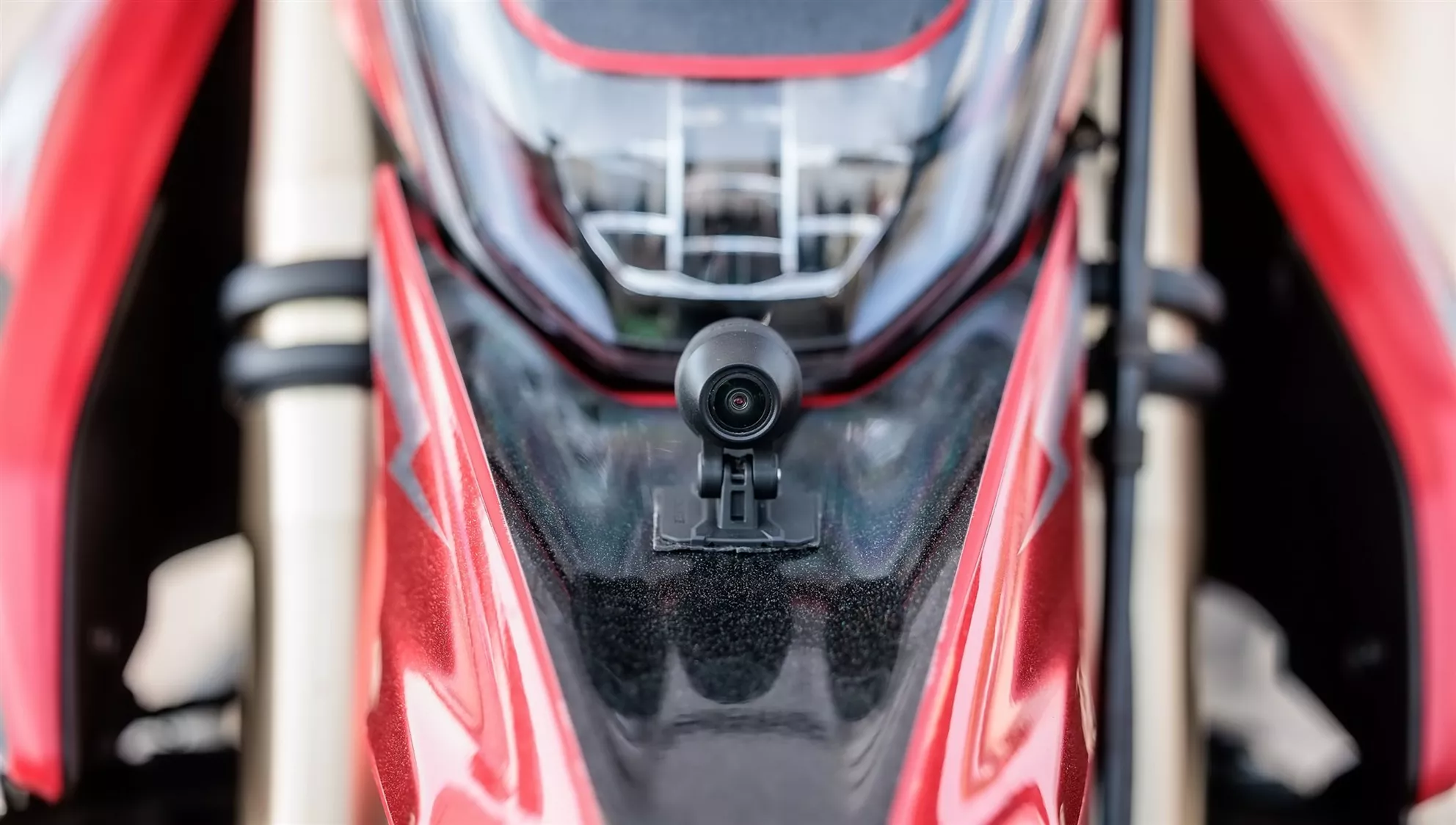
One criticism from another of our real-world tests confirms exactly what the spec sheet already hints at: the front camera cable measures just 1 metre, while 2.5 metres are available at the rear. Depending on the desired cable routing, the two identical cameras can simply be swapped to keep the cables tidy. A pragmatic solution, even if the enormous jump between 1 metre and 2.5 metres of cable length remains hard to fathom.

Chigee GO App

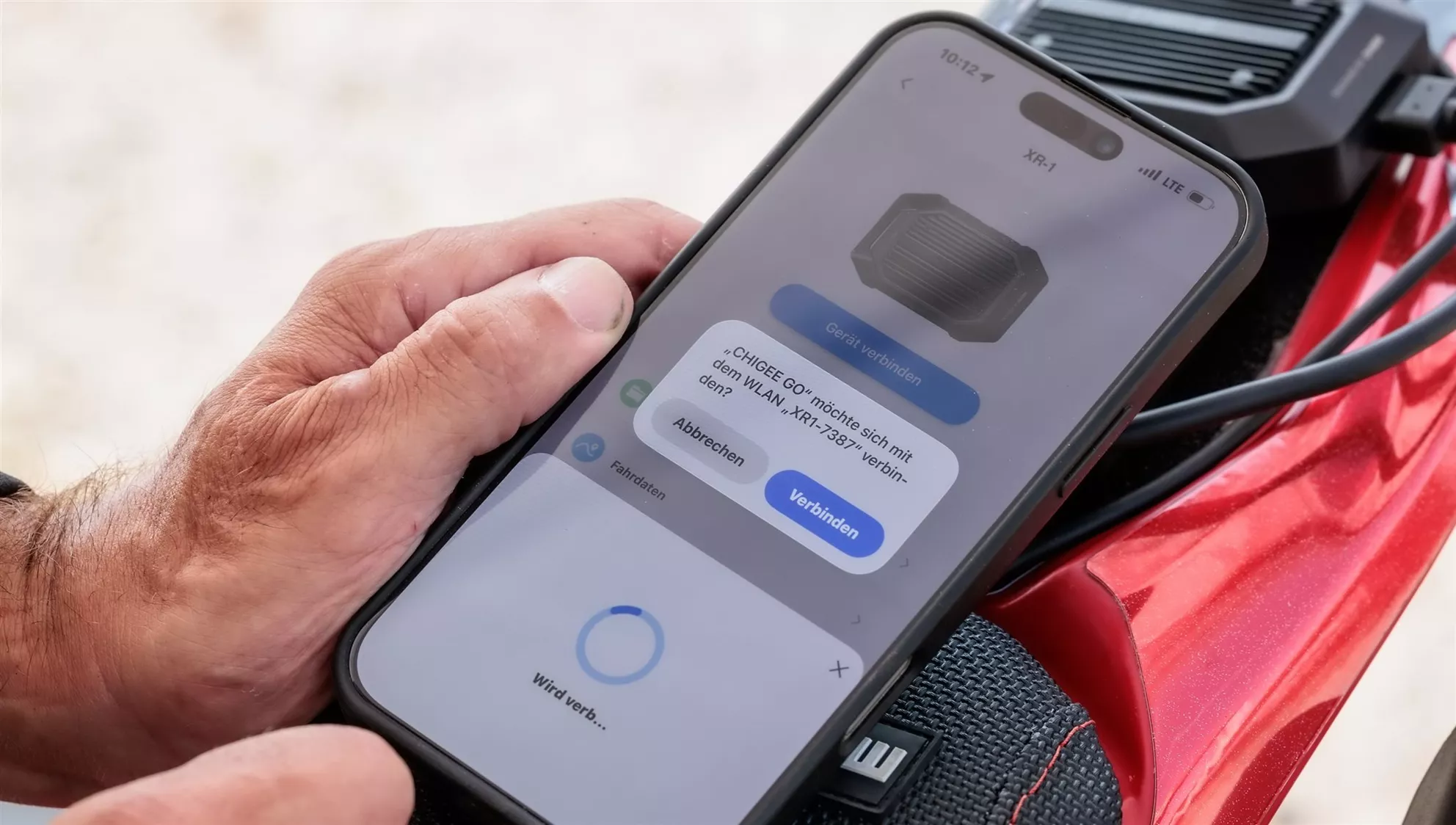
Chigee GO App and Getting the XR-1 Up and Running

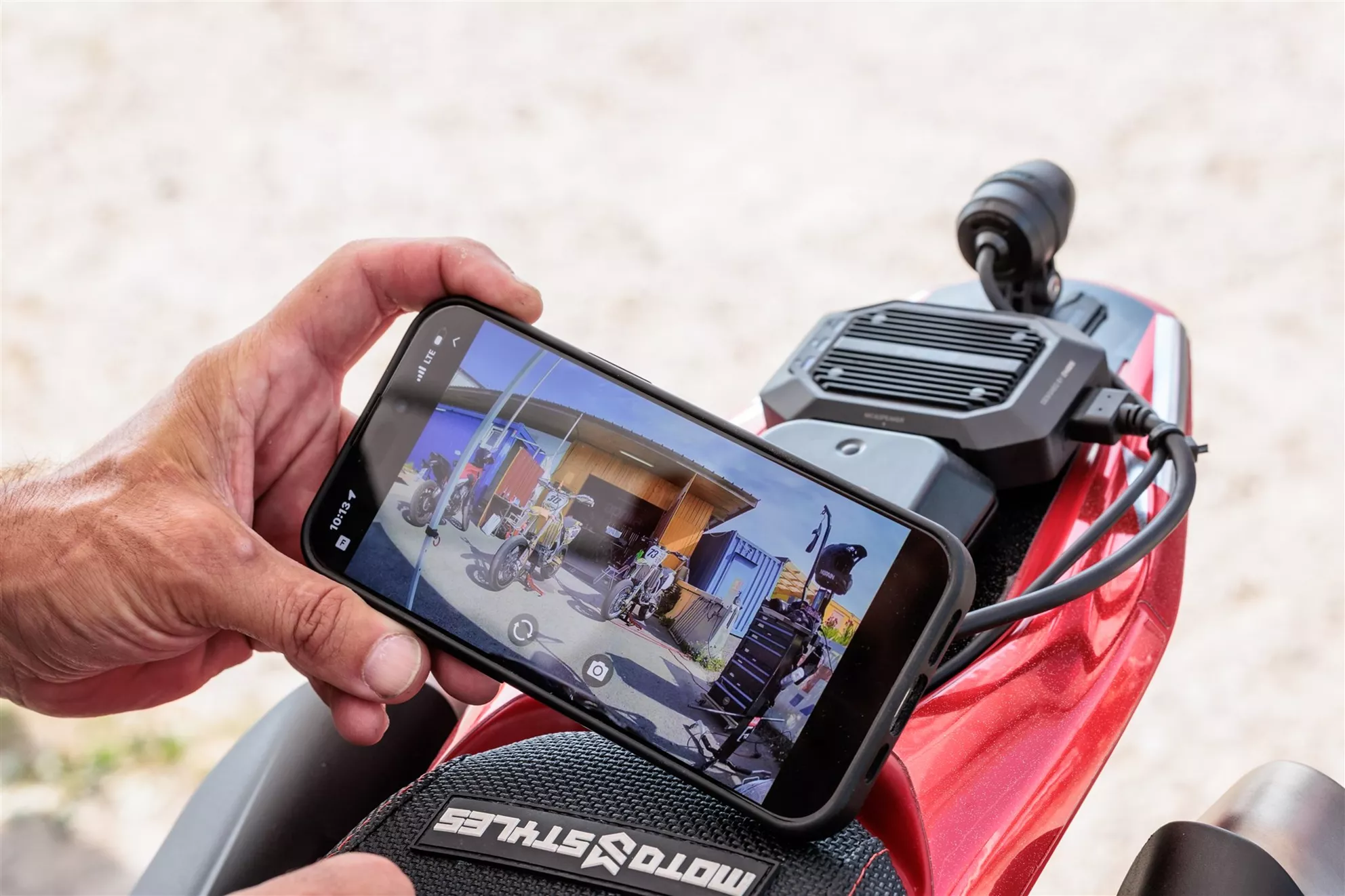
Insert the microSD card, format it in the device, install Chigee GO on your iOS or Android smartphone, pair, activate, and then apply the OTA update. After that, all components on our test system were initialised and up to date. The app is not merely a convenience extra – it is the actual display of the XR-1: live view for camera alignment, access to front and rear feeds, gallery, download, and settings for Collision Lock, parking surveillance, and video output all happen here. Firmware updates are also carried out entirely via the Chigee smartphone app.

The whole process works pleasantly straightforwardly. After the initial authorisation, the smartphone reconnects quickly and clips are transferred via the device's own 5 GHz Wi-Fi at more than 10 MB/s.

Die Verwendung ist absolut easy, ein Traum. Man muss sich um nichts kümmern, das Gerät macht alles selbständig.

NoPain, 1000PS Test Editorial Team

Chigee XR-1

XR-1 – Automatic Recording Instead of Action Cam Hassle

This is where Chigee hits the nail pretty squarely on the head. Once the XR-1 is correctly wired up, there's nothing left to do before a normal ride. Start the bike and recording begins automatically; a continuous loop recording will eventually overwrite the oldest unlocked files. Segments can be set to one, two, or three minutes. There is deliberately no classic record switch: as long as the XR-1 is powered, it records.

The two buttons on the main module can lock a clip or take a photo; a long press forces a restart or card formatting. The catch is: if the module is mounted where it makes sense from a safety and anti-theft perspective – deep under the seat – those buttons aren't particularly useful. For spontaneous actions while riding, there's therefore the optional GPS handlebar controller. This also provides route, speed, distance, and riding time.

A practical solution, but with a gap: the voice output reliably informs you about system status or issues with the camera and memory card – ideal when the unit is hidden away. It's a shame that German is not currently supported.

Chigee XR-1 on Track

Track Day Instead of a Sunday Cruise with the XR-1

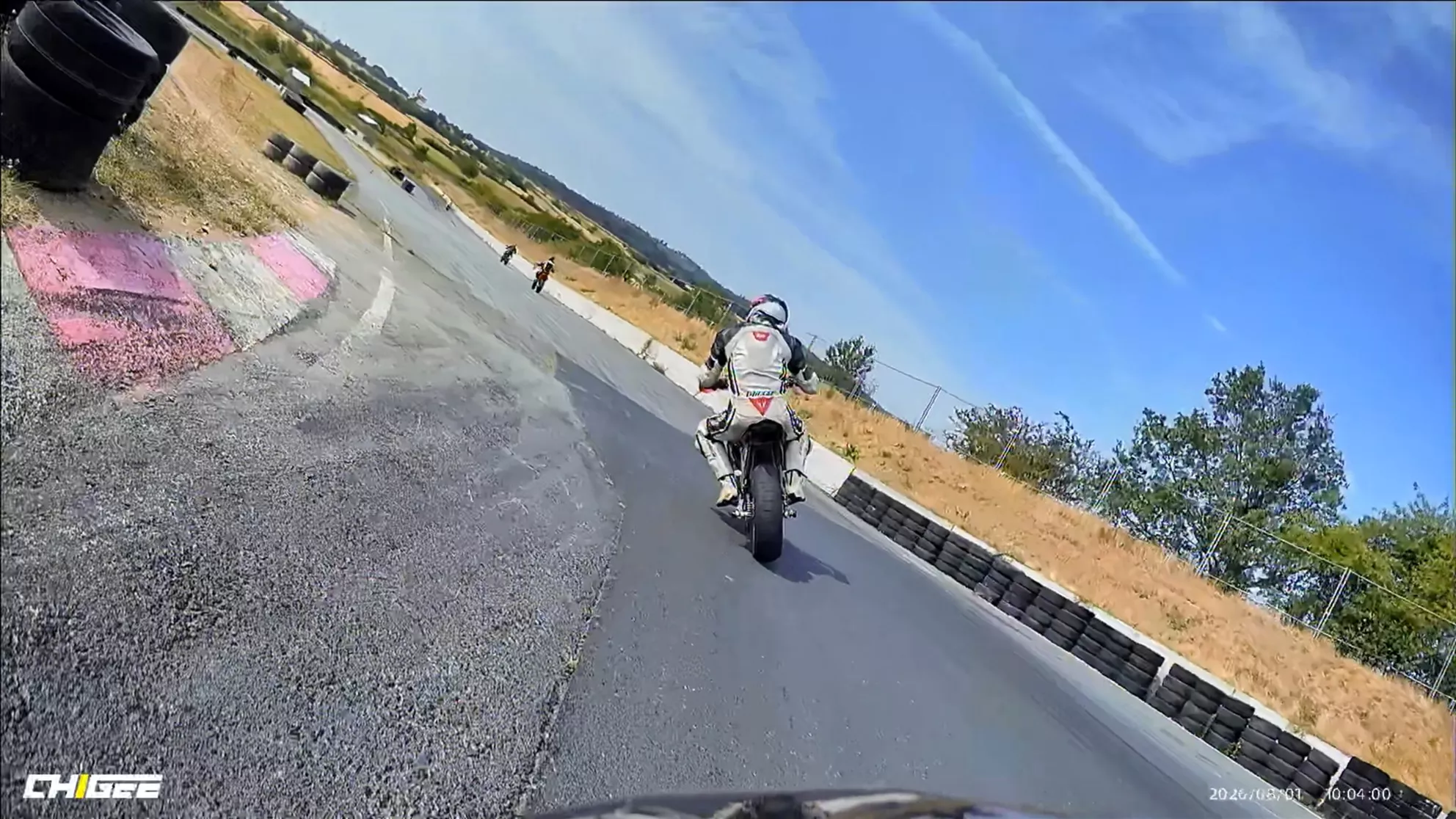
Testing a motorcycle dashcam in relaxed city traffic is one thing – a track day as a stress test is something else entirely. That's why the XR-1 on the Hypermotard 698 Mono got the full programme for an entire day: high revs, hard throttle transitions, anchor-like deceleration, kerbs, vibrations, and summer temperatures well above 35 degrees left the core functionality completely unfazed. Every expected recording was present and accounted for at the end.

The G-sensor (Collision Lock) provided particular amusement. Chigee automatically locks the current clip against overwriting when an unusual vibration or hard impact is detected; the sensitivity can be adjusted in High, Medium, Low, and Off settings. Our Hypermotard interpreted the front wheel touching back down after a wheelie with remarkable consistency as an emergency situation. The system did exactly what it was supposed to. For rough roads or off-road sections, Chigee itself recommends a reduced sensitivity setting.

XR-1 Front Camera

XR-1 Image Quality at Up to 60 fps

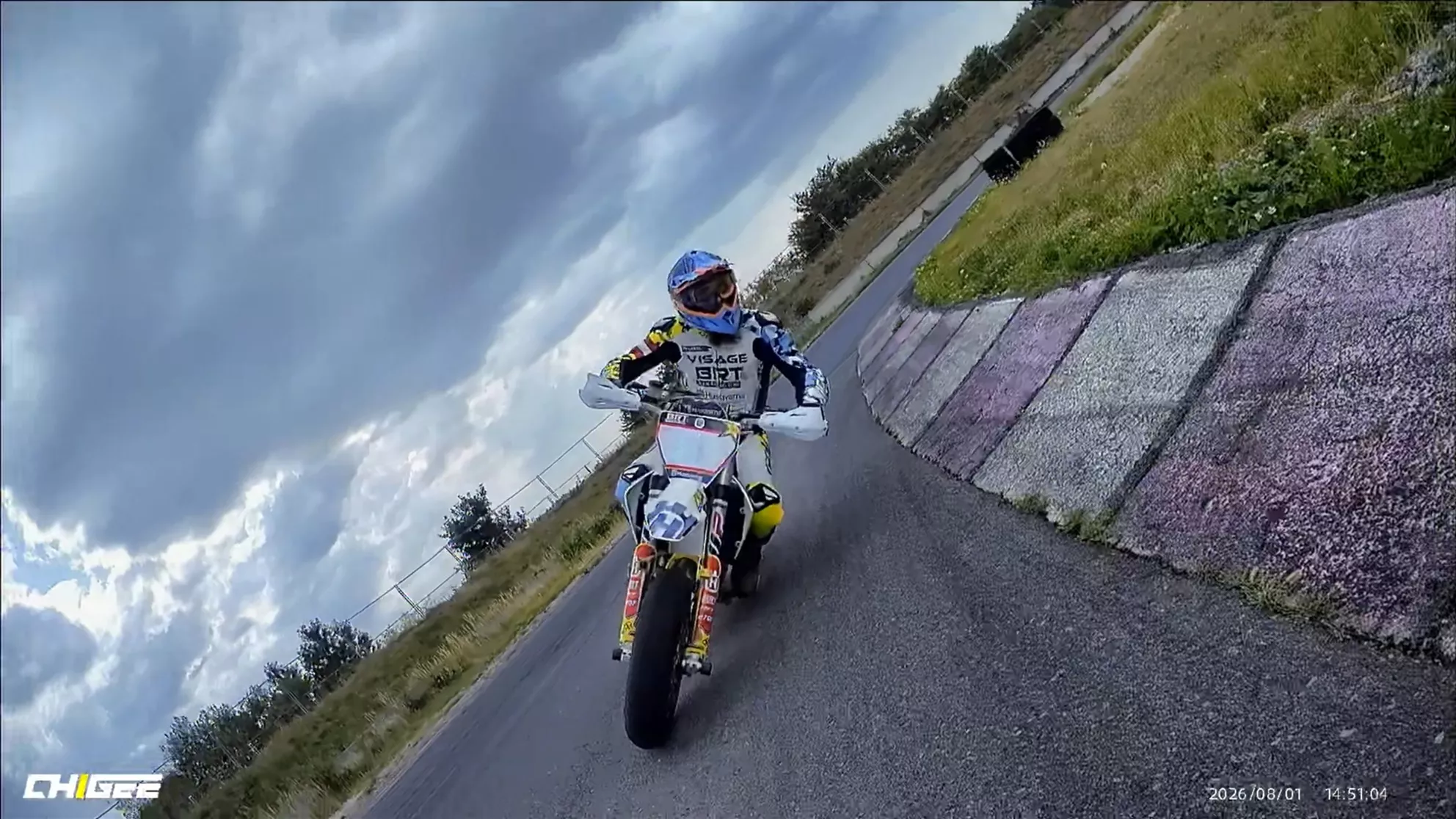
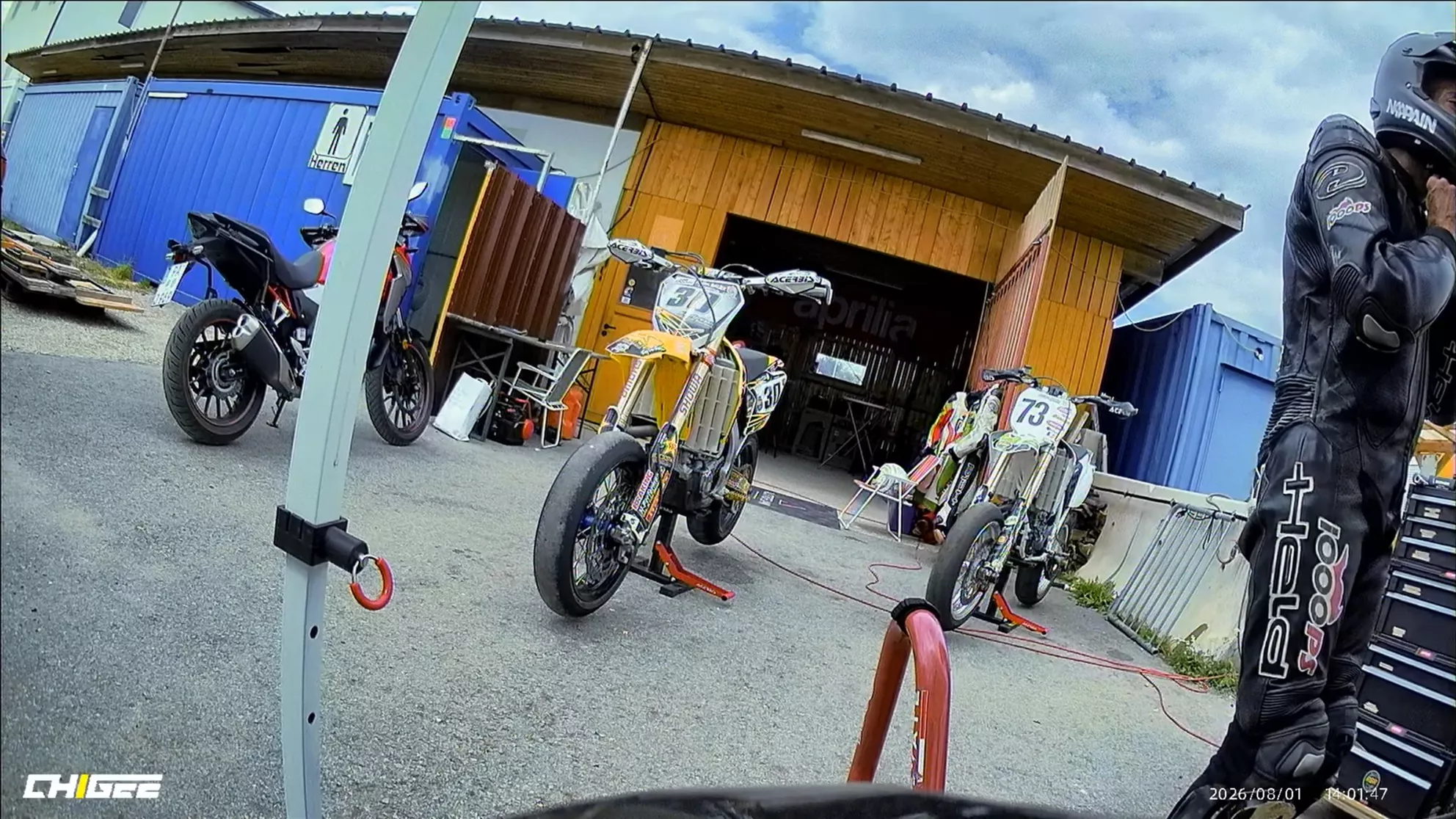
Anyone expecting cinematic material from a 1080p dashcam is confusing documentation with content production. The XR-1 footage doesn't have the reserves of a high-end action cam for post-production crops, spectacular reels, or night shots with Hollywood ambitions. Its job is more mundane and more important: to capture movement sequences, vehicles, and as many details as possible in a usable way. In that regard, our test system performed convincingly. At 60 fps, number plates and other details were clearly legible in our footage, while motion was frozen more cleanly than at lower frame rates. In another everyday test of ours, 1080p/60 fps also proved helpful for being able to clearly read the number plates of oncoming vehicles.

XR-1 Front Camera

Chigee promises Smart HDR, image stabilisation, and a field of view of 136 degrees. The image quality is absolutely fine, but the features are no miracle cure: while the software irons out minor vibrations well, it hits its limits at extremely flexible mounting positions – such as the rear mudguard of a supermoto. Furthermore, a wide field of view cannot compensate for a crooked or poorly chosen angle. The race track once again made it clear: a well-thought-out installation remains essential.

XR-1 Rear Camera

XR-1 Rear Camera as a Digital Mirror

A completely unplanned strength revealed itself during testing, because NoPain's smartphone was mounted on the handlebar via SP Connect. Opening the rear camera's live view there instantly turns the dashcam into a digital mirror. The perspective is wide, rearward traffic is clearly visible, and particularly on bikes with vibration-prone, tiny, or non-existent mirrors, this can be surprisingly useful.

XR-1 Digital Mirror

Even so, the smartphone is not a full replacement as a monitor: the XR-1 is primarily designed as a discreet motorcycle black box, not as a permanent rear-view display. Anyone looking for that kind of live image is better off conceptually going straight for a Chigee AIO system with camera connection – and skipping the XR-1 receiver unit entirely.

Eigentlich wollten wir die XR-1 nach dem Trackday wieder demontieren. Jetzt bleibt sie fix drauf.

NoPain, proud XR-1 owner

Chigee XR-1 Parking Guardian in the Paddock

XR-1 Parking Guardian in the Paddock

The parking monitor was one of those features that genuinely impressed in real-world use. If the switched-off bike is moved, the XR-1 triggers on the vibration and records for around 60 seconds on both cameras. In the paddock it worked spot-on: pull off the tyre warmers, lift the bike off the stand – bang, movement detected, scene saved.

XR-1 Parking Monitor

Power consumption is also well thought out: Chigee quotes approximately 350 µA for parking standby and protects the battery via automatic shutdown when voltage drops below 11.8 volts. That takes away a lot of worry, though it doesn't eliminate every residual risk during transport on a trailer. Anyone who doesn't need the feature can simply switch it off via the app.

Tip: For absolute peace of mind, the power supply can be completely disconnected via a discreet switch. That's exactly the route we'll be taking on our bike: track day – SWITCH ON, downtime or transport – SWITCH OFF.

XR-1 Complete Set

The Flip Side: XR-1 Installation Effort and Extra Cost Details

The XR-1 wants to become invisible after installation, but demands careful hands-on work beforehand: a suitable location for the main unit, two perfectly aligned cameras, well-thought-out cable routing, and a clean electrical connection. The system is plug and play on the app side – but absolutely not at the wiring harness. Anyone who draws a blank at positive, negative, and ignition-switched positive should definitely leave the installation to someone who knows their way around vehicle electrics.

On top of that, there's the rather short front camera cable, the missing microSD card in the box, and the currently absent German voice output. Features such as GPS tracking, speed overlay, and a quickly accessible lock button only arrive via the optional controller.

XR-1 in Action

Chigee XR-1 Stress Test: High-End Dashcam for the Most Extreme Demands Images

Source: 1000PS

Image 1
Image 2
Image 3
Image 4
Image 5
Image 6
Image 7
Image 8
Image 9
Image 10
Image 11
Image 12
Image 13
Image 14
Image 15
Image 16
Image 17
Image 18
Image 19
Image 20
Image 21
Image 22
Image 23
Image 24
Image 25
Image 26
Image 27
Image 28
Image 29
Image 30
Image 31
Image 32
Image 33
Image 34
Image 35
Image 36
Image 37
Image 38
Image 39
Image 40
Image 41
Image 42
Image 43
Image 44
Image 45
Image 46
Image 47
Image 48
Image 49
Image 50
Image 51
Image 52
Image 53
Image 54
Image 55
Image 56
Image 57
Image 58
Image 59
Image 60
Image 61
Image 62