With the Tilsberk DVision HUD, turn-by-turn navigation instructions and further information are projected into your field of view via a small glass pane in the motorcycle helmet. Sounds like high-tech hocus-pocus, but it works, and it has the crucial safety advantage that you no longer have to take your eyes off the road. Last year we got this exceptional navigation device into our helmets for the first time, and this year a big update brings new functions into play once again. Since the DVision device itself and the basic features haven't changed, I recommend the first test of the Tilsberk DVision head-up display for the motorcycle helmet for anyone who wants to know more about the basic functionality, mounting, and pros and cons. This test report is all about new functions, revised displays and possible pairings of the Tilsberk DVision.
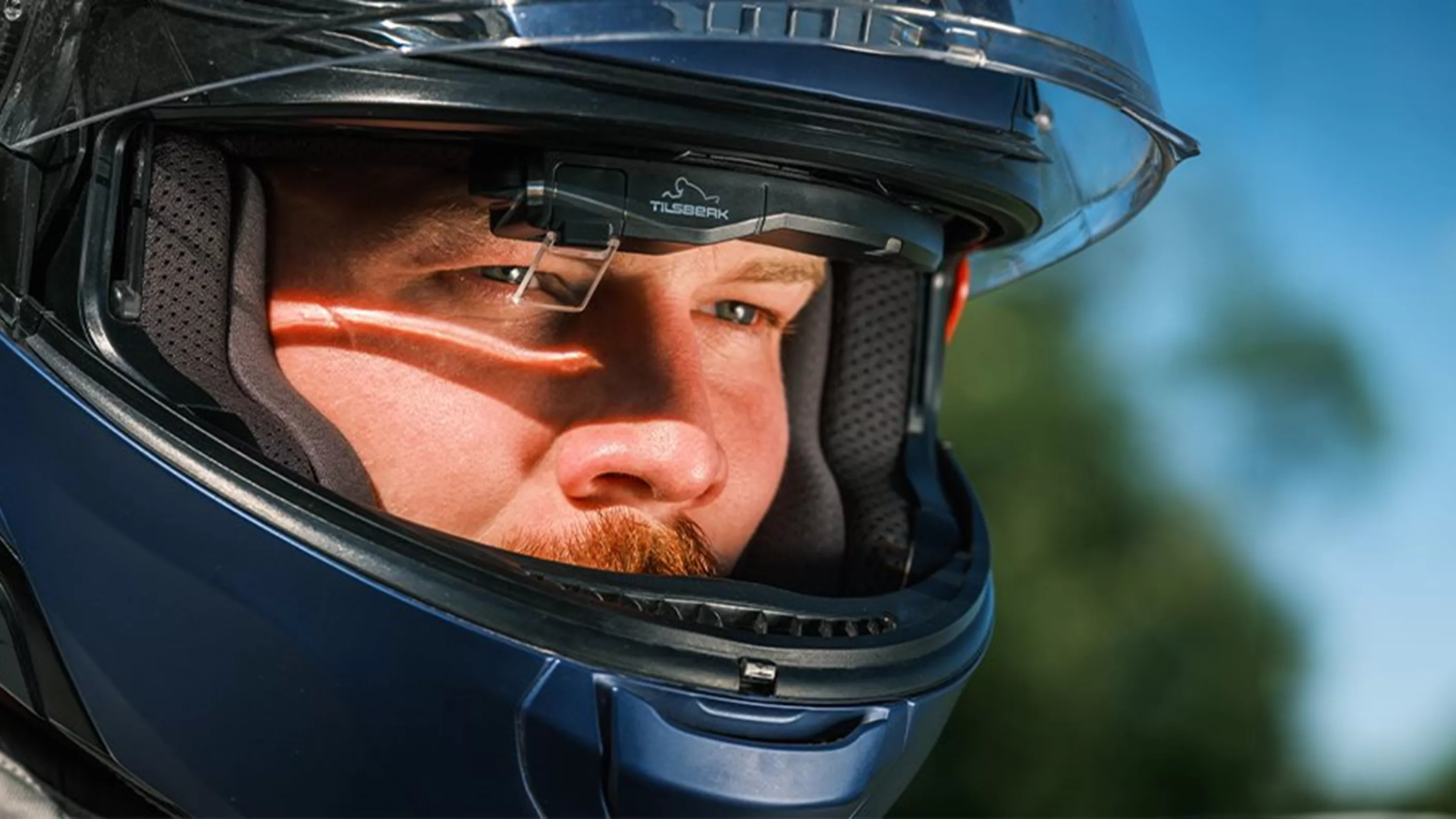
Tilsberk DVision HUD for motorcycle helmets - Version 2.0 tested
GPX import, Calimoto pairing & more - testing the new features
With the DVision head-up display, Tilsberk offers a unique navigation solution for motorcyclists. Now there has been a major update including new functions for the DVision HUD, and we took a look at how well the new functions work in practice.
&width=72&height=72&bgcolor=rgba_39_42_44_0&mode=crop "Author: Gregor")
Gregor
published on 05/07/2024
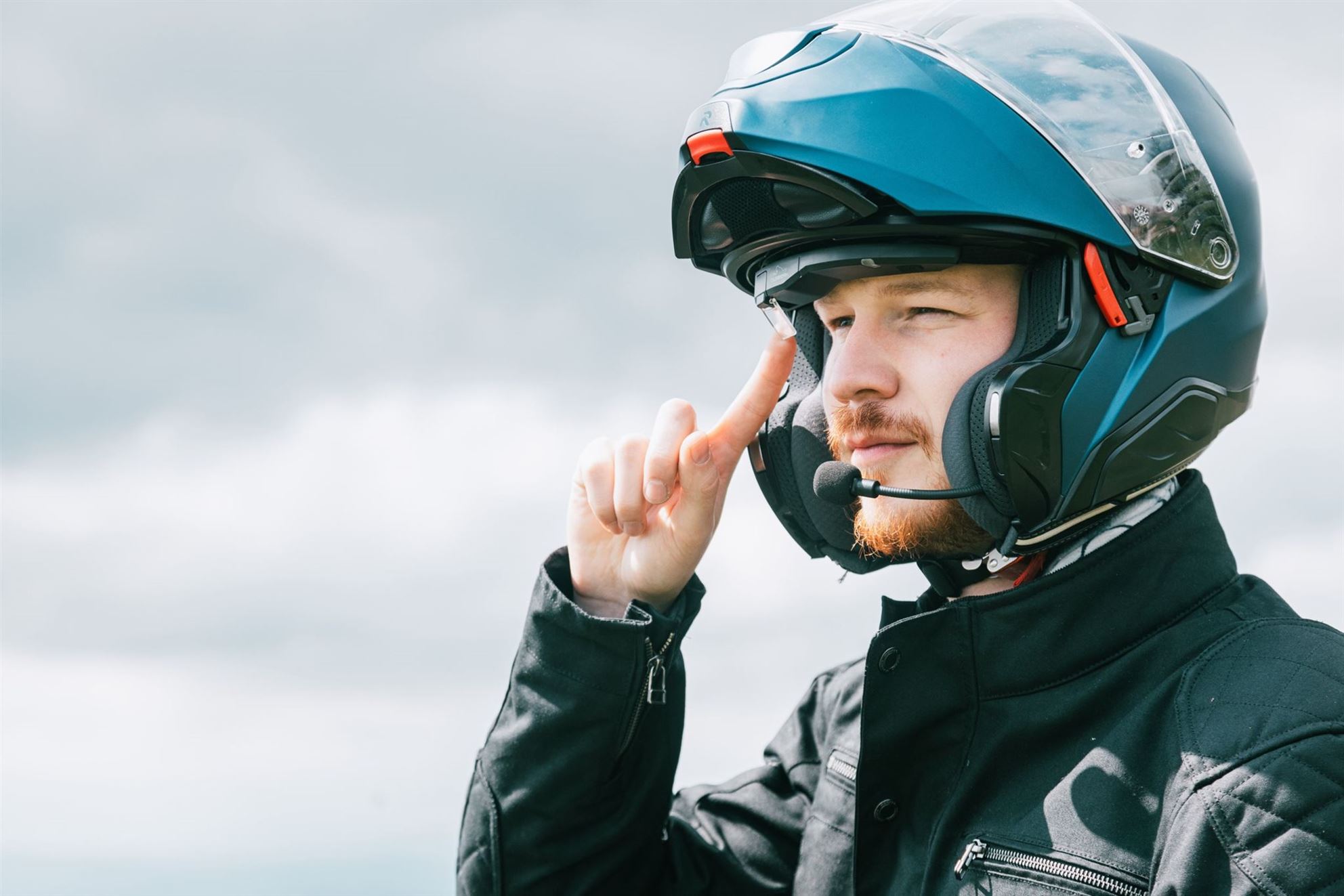
Nothing has changed about Tilsberk's hardware, the DVision device itself. You can read about how well the unassuming piece on your forehead works in last year's test report linked above.
Calimoto in the Tilsberk DVision HUD
Strictly speaking, the combination of Calimoto navigation with the Tilsberk HUD isn't part of the new update. However, the function wasn't yet available during our first test last year, so we still want to say a few words about it. Briefly on Calimoto, for those who haven't had the pleasure yet: Calimoto is an app that uses a specialized algorithm to find the best, curviest routes for motorcycle tours. It's now used by numerous riders, and pairing it with the DVision device makes a lot of sense. DVision is selected directly in the Calimoto app's settings, and the Bluetooth pairing with the device works quickly and easily. This lets you follow the route planned in the Calimoto app without having to mount your smartphone on the handlebar and constantly look down. However, the turn-by-turn display is much simpler when used with Calimoto compared to regular navigation via the Tilsberk app. Instead of the four different display modes, only the next navigation instruction, the current speed and the remaining kilometers of the route are shown in the HUD with Calimoto. Some might wish for the customization options of the normal navigation here, but usually you're riding with Calimoto on twisty roads without too many junctions, so the simplified display serves its purpose.
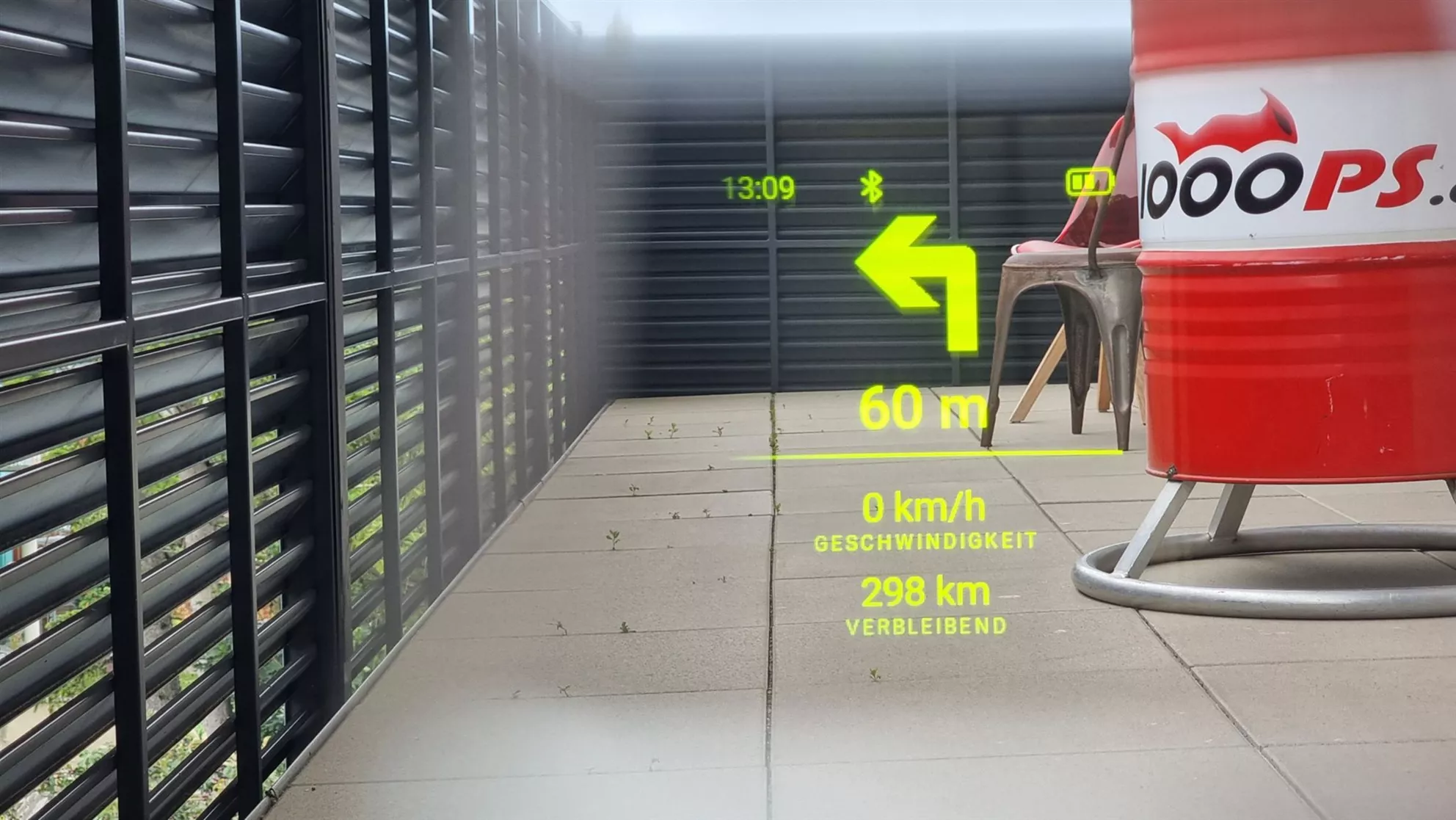
The new Calimoto integration in the Tilsberk DVision offers a simplified display compared to the standard layouts, but works well on rural roads.
The combination of Calimoto and Tilsberk DVision really only makes full sense once you have premium access to the former. Calimoto Premium costs €60/year, and in return you get features such as tours outside your home region, super-twisty tour planning, various map types, images and POIs along the route, tour recording, personal statistics and more. To make the combination of DVision and Calimoto even more attractive, discounts are offered from both sides. When you buy a Tilsberk DVision HUD, you get a Calimoto voucher for one month of premium access. If you get Calimoto Premium or are already a user, you can buy the DVision device for €50 less, at €349.
Improved display on the Tilsberk DVision head-up display tested
In the first test of the DVision HUD, the display of navigation instructions didn't work flawlessly. Especially in Navigator mode with extra arrows for lane guidance, incorrectly displayed symbols caused confusion. With the new update, the display has been revised once again. The turn-by-turn navigation arrows now actually look the way they're illustrated on the Tilsberk website or in the app. Depending on the intended use and personal preferences, you can set one of the four display modes: City, Explorer, Minimalist and Navigator. For more urban areas, city motorways with many junctions and the more demanding navigation there, Navigator mode is best suited. Due to the fundamental limitations of turn-by-turn navigation, there are still some unclear situations, and the DVision's navigation announcements do need some getting used to before you fully understand them, but the display is significantly clearer than before, and the lane hints in Navigator mode now offer real added value.
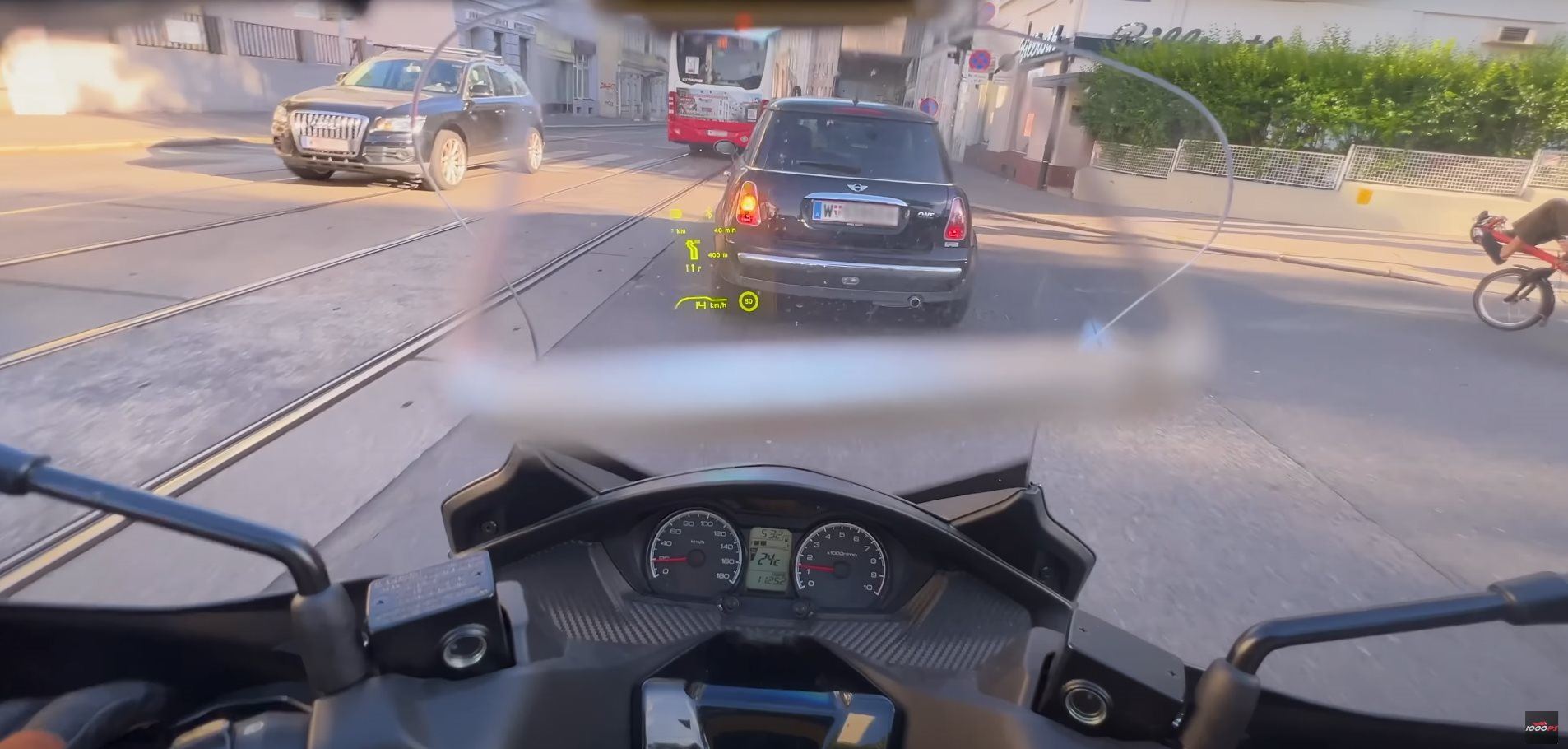
In Navigator mode, arrows for lane guidance are now actually displayed correctly, greatly simplifying navigation in the city or on multi-lane roads.
Another positive change brought about by the update is that the smartphone screen no longer dims automatically. This means you can mount your smartphone on the handlebar, navigate mostly via the HUD, and still take a quick glance down at the 3D navigation in the Tilsberk app when uncertain at confusing intersections, helping yourself out.
GPX import for Tilsberk DVision head-up display navigation on the bike
A major part of the new update was the now-possible GPX import. Since GPX files are the standard in the world of route planning and road navigation, this is definitely a feature that can make life easier for a lot of people. I usually plan my own routes for a trip on the PC via Garmin Basecamp and then transfer the GPX files to the corresponding navigation device. This is now quite easy via the Tilsberk app as well, although there's one major limitation: only GPX routes can be imported, not GPX tracks. This mainly affects off-road enthusiasts like myself, for whom tracks are the standard, but it's also logically explainable. Turn-by-turn navigation depends on turn instructions, which a track doesn't have. In my assessment, a GPX track, where points are saved on the map without turn commands, can only work with 3D map navigation.
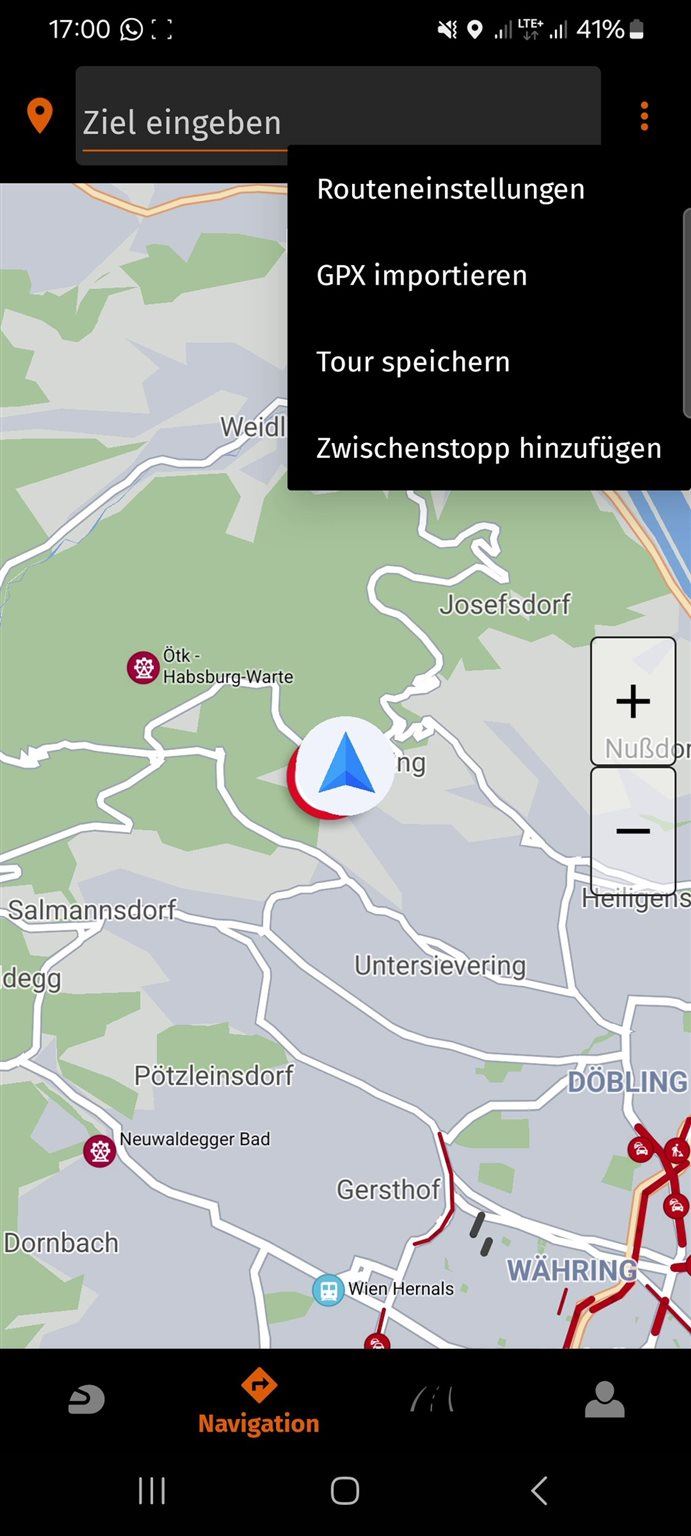
GPX import is a new feature of the Tilsberk DVision, but only works with GPX routes.
Importing GPX routes works pretty well with the DVision and its associated app, though not flawlessly. For example, the app absolutely refused to accept exported GPX routes from Calimoto, but swallowed GPX exports from Basecamp or Kurviger without complaint. Once you're in navigation, you can still edit the start and end point of the route. Due to different map standards and algorithms working in the background, the calculation and thus the shape of the route may deviate from the original plan. Tilsberk recommends exporting the route with as many waypoints as possible, since deviations only occur between points, leaving the system less room for it.
Tilsberk DVision head-up display navigation on the bike with tour storage
A smaller, but quite important part of the update is the expansion of navigation with tour storage. Previously, only destinations could be saved, but now entire tours are saved via a free user account. This allows the saved routes to be used across devices, and edited, for example, on a tablet or PC via the Tilsberk app or the browser.
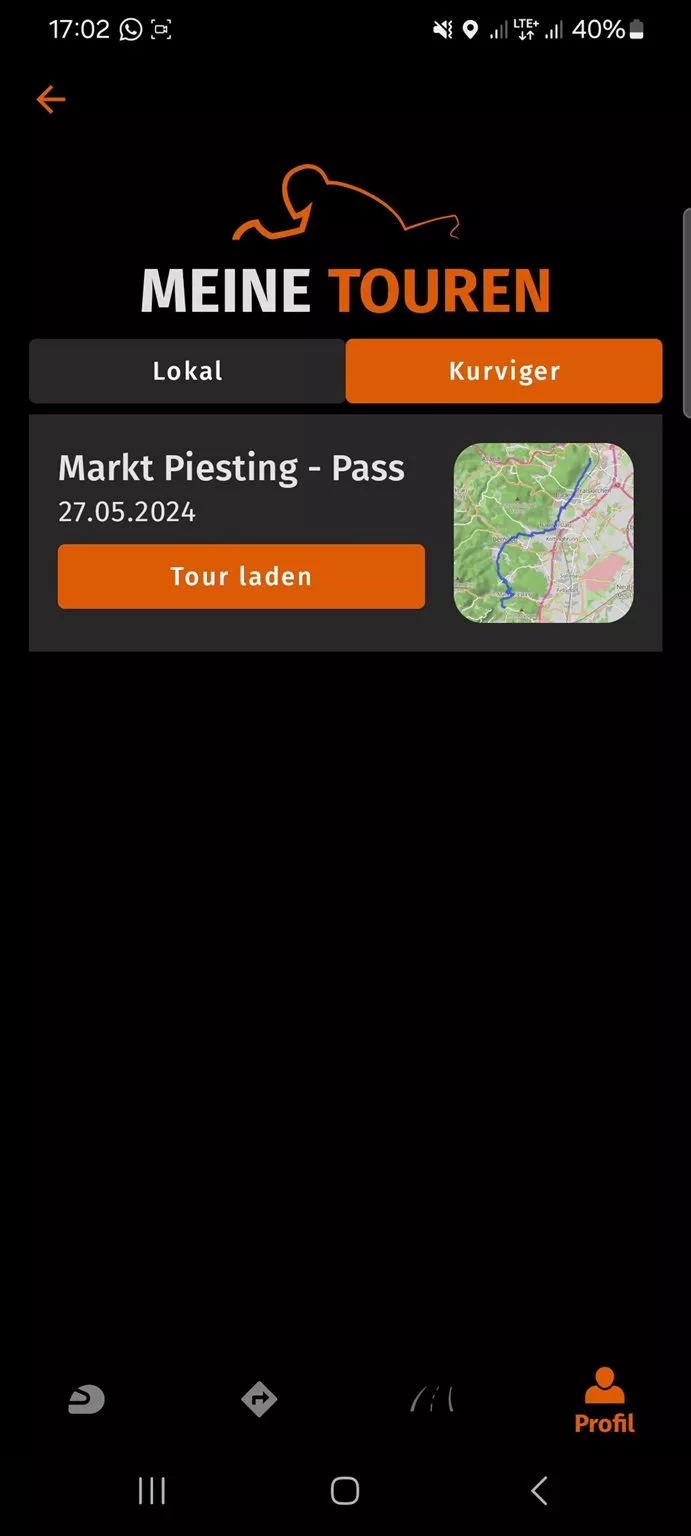
Created tours are now saved in the Tilsberk app and can also be edited across devices. With premium access, Kurviger tours are saved too.
Premium access for Tilsberk DVision head-up display navigation on the bike
The last major part of the 2024 update is the introduction of premium features. These are aimed primarily at riders who want to use the system not just as a head-up display with integrated navigation, but as a fully-fledged tour planning tool. Premium access offers bike-specific, advanced tour planning and navigation of round trips. This is made possible by the implementation of the well-known navigation app Kurviger. Kurviger's functions, such as planning routes with varying degrees of twistiness and more, have been adopted essentially 1:1 and can now be used directly via the Tilsberk DVision app. There's also a Tilsberk desktop app for detailed route planning on PC or Mac.
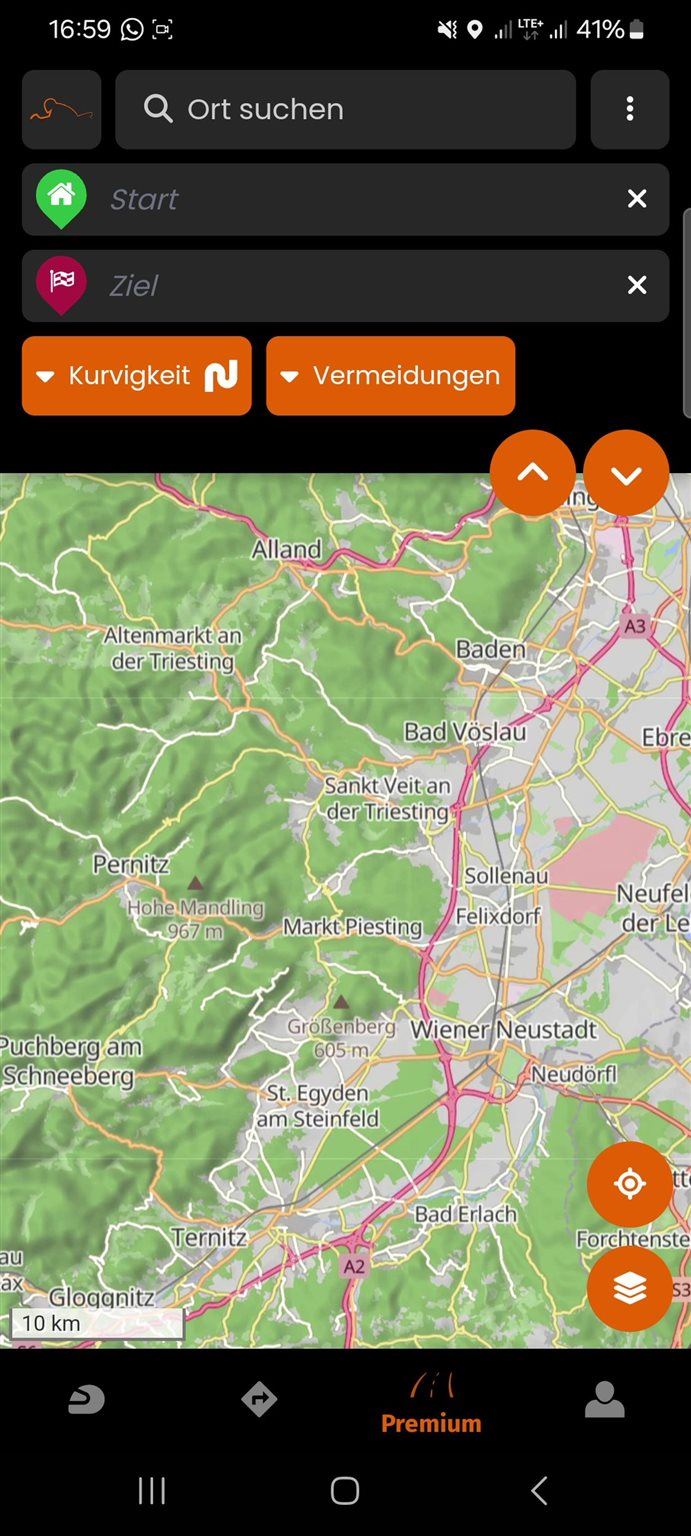
A great addition for the DVision: Kurviger navigation.
Another premium feature highlight is the integration of real-time traffic data: Live Traffic improves navigation by providing traffic updates. In the premium version of the app, the system displays all disruptions, roadworks or traffic jams along the route, and updates them in real time. This also affects imported GPX files. For example, pre-planned and transferred routes are not followed rigidly, but are adapted to current conditions.
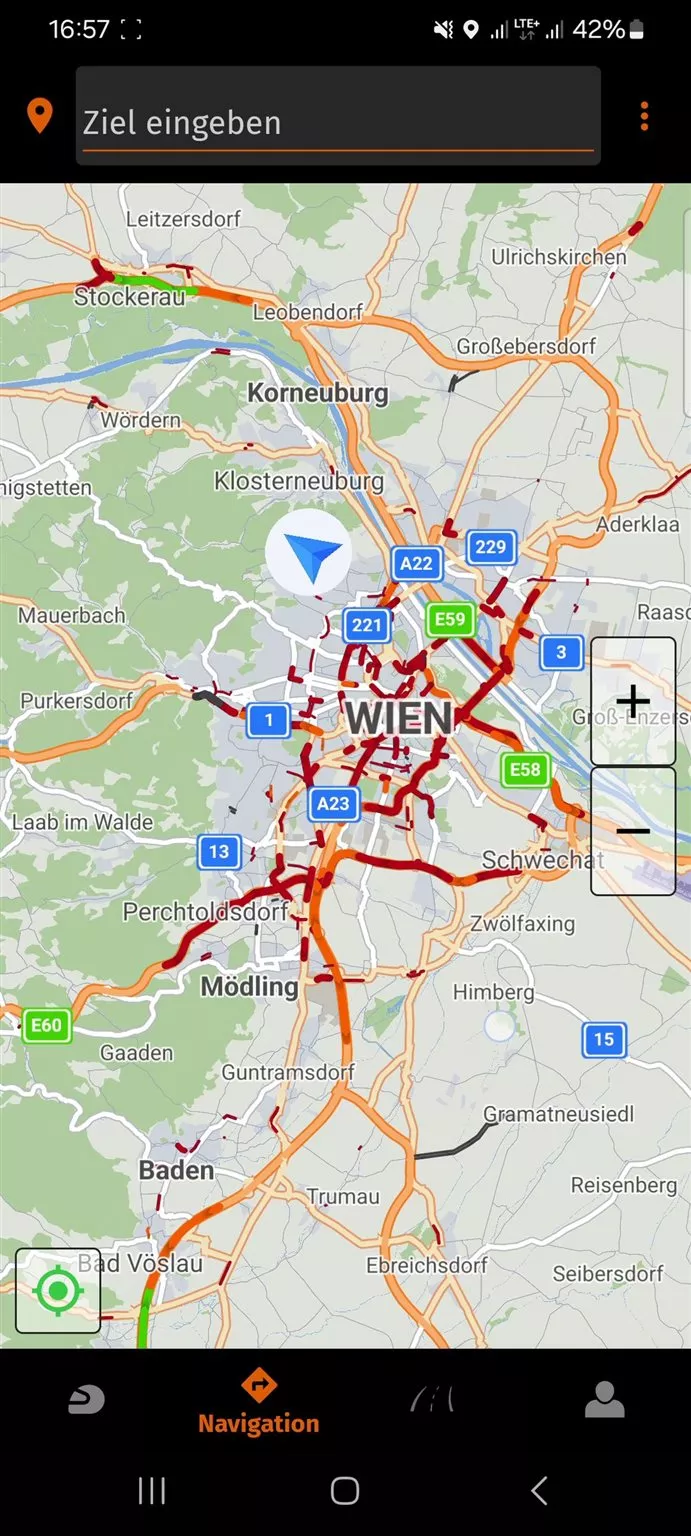
Real-time traffic data is also among the new features and affects not only the standard navigation, but also imported GPX routes.
For anyone who already uses Calimoto or only uses the DVision HUD for simple point A to point B navigation, the added value of the premium features is, in my opinion, fairly limited. But for those who want to use the DVision as a standalone, fully functional navigation device, the Kurviger features and real-time traffic data are very useful. Interested users can try the premium version free for 14 days. Those who decide to keep using it can choose between a monthly license for €6.99 or an annual license for €29.99.
Verdict on the second test of the Tilsberk DVision head-up display for the bike
The update hasn't just given the DVision HUD many new features, it has also significantly improved the functions that already existed. The tour storage alone, and the now correct display of navigation, are already a big win. On top of that, with premium access, there's the mature Kurviger navigation technology, which by the end of my test phase I was actually mainly using. But with GPX import, Calimoto pairing and tour storage, you get so far even with the free version of the Tilsberk app that day trippers and after-work tourers shouldn't be missing anything, in my assessment.
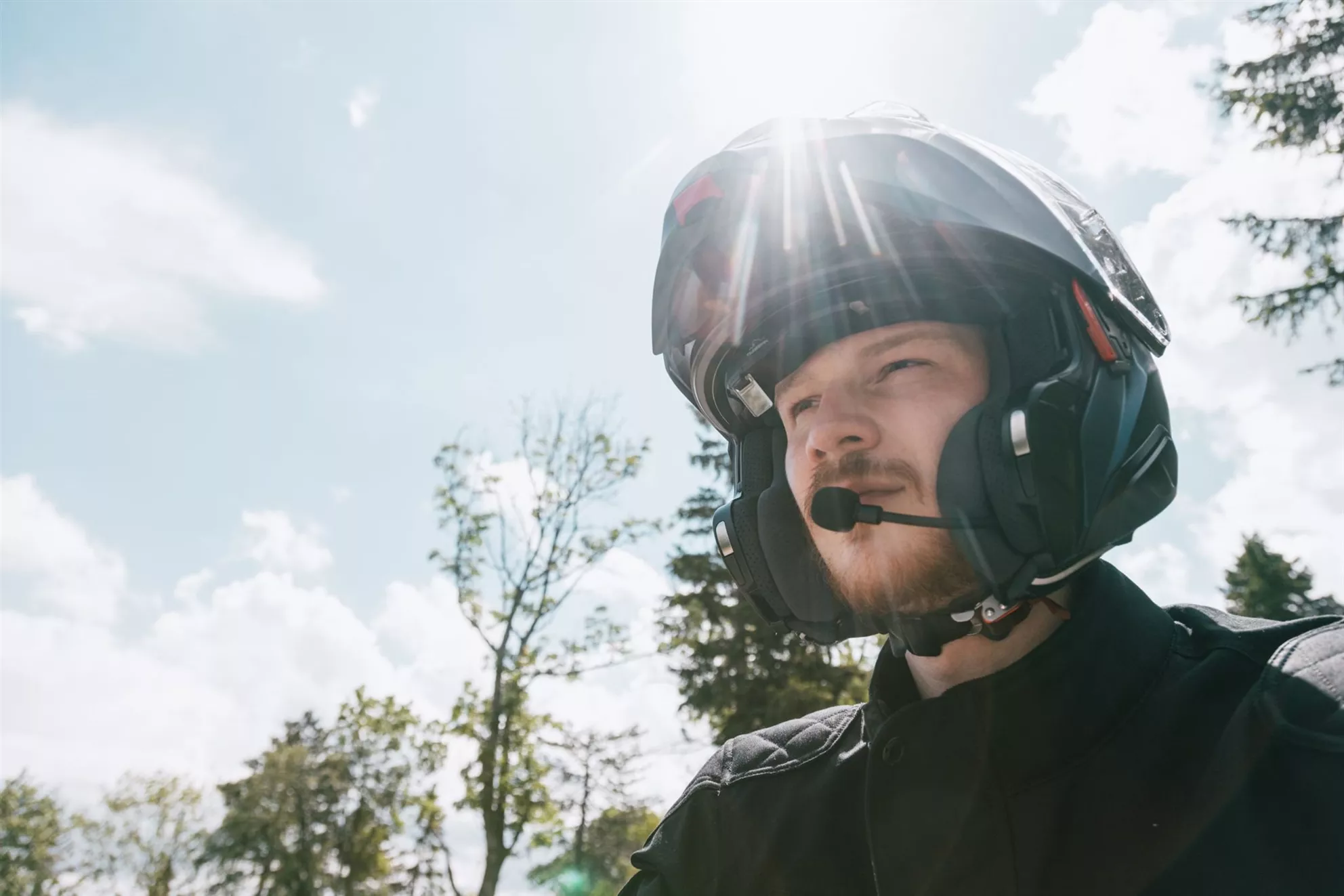
The Tilsberk DVision isn't yet flawless and is still limited by the constraints of turn-by-turn navigation, but with the new update it now works better and offers important features.
My biggest problems with the DVision started where the practicality of turn-by-turn navigation systems ends. In off-road use or dense urban road networks — although almost opposite in nature — both are too complex to still manage well with individual navigation instructions. This is less a criticism of the DVision itself than a problem of all turn-by-turn navigation systems. "Turn right in 50 m" simply isn't precise enough when three roads branch off in quick succession. Anyone who mainly rides their bike on rural roads and, on top of that, has an interest in new technology, I'd recommend trying the DVision. After a break-in period, it does actually have the effect that you take your eyes off the road much less often. But anyone who wants to navigate in bigger cities or on the tiniest of backroads either needs to bring some patience, or wait until this great HUD technology is able to display a 3D map.
Conclusion: Tilsberk DVision HUD 2.0 tested
The 2024 update makes the DVision HUD noticeably better. The turn-by-turn arrows are now displayed correctly, Navigator mode delivers real added value with its lane hints, and the new tour storage syncs routes across devices. GPX import works reliably with Basecamp or Kurviger exports, but the app refuses GPX exports from Calimoto, and only routes, not tracks, can be imported. The Calimoto pairing itself works quickly via Bluetooth, but only shows a simplified display. The Calimoto package only really makes sense with premium access. The fact that the smartphone display no longer dims automatically helps at confusing intersections. The premium features with Kurviger planning and live traffic are worthwhile especially for those who use the DVision as a standalone navigation device; for Calimoto users or pure point A to B navigation, the added value remains limited. For tourers who want to keep their eyes on the road, the HUD is a clear recommendation after the update, because the navigation is finally clearly readable.
Tilsberk DVision HUD for motorcycle helmets - Version 2.0 tested Images
Source: 1000PS

The hardware of Tilsberk, the DVision device itself, hasn't changed. Check out last year's review to see how well this unassuming piece works on the front.

In Navigation mode, there are now no arrows for lane guidance, which greatly simplifies navigating through the city or on multi-lane roads.


The new Calimoto integration in the Tilsberk DVision offers a simplified display compared to the standard layouts, but performs well on twisty roads.

Real-time traffic data is one of the new features that not only impacts standard navigation but also imported GPX routes.

The Tilsberk DVision fits nearly all helmets thanks to various mounting methods. Learn more about the installation in our first test of the Tilsberk DVision.

Planned routes are now saved in the Tilsberk app and can be edited across devices. With a premium subscription, Curvy routes are also saved.


A fantastic add-on for the DVision: Curvy Navigation.


The GPX import is a new feature of the Tilsberk DVision, but it only works with GPX routes.


